Complete Codex Tutorial
Welcome to the Complete Codex Tutorial. This tutorial is based on OpenAI's official documentation (developers.openai.com/codex) and the open-source implementation (openai/codex). It uses the Codex Desktop App as the main thread while also covering Codex CLI, IDE extensions, and Codex Cloud, helping you move from "installed and running" to deeper customization, team rollout, and automation.
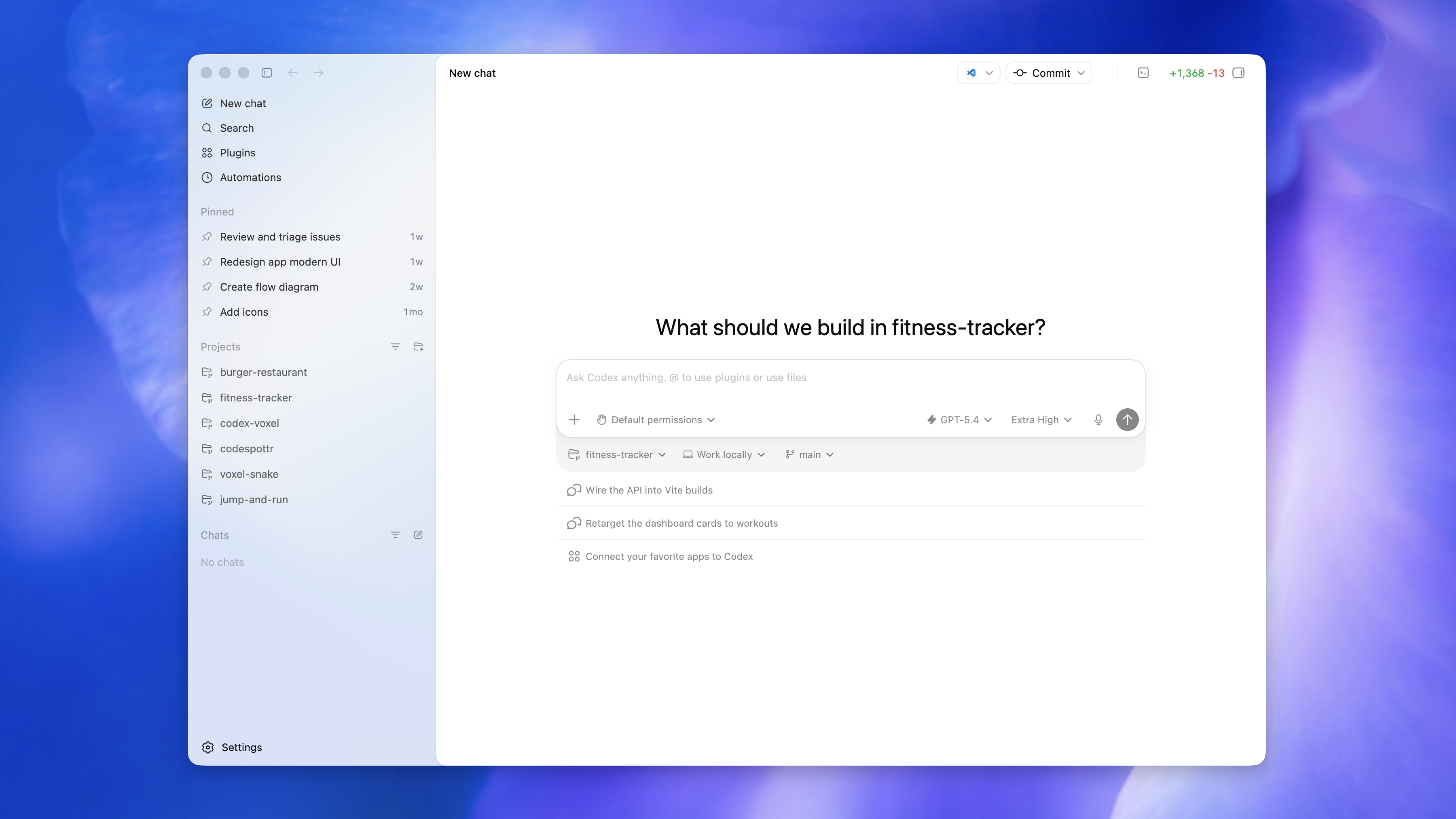
The Codex Desktop App new-thread screen: the left sidebar contains threads, search, plugins, automations, tasks, projects, and cloud entry points. The center area contains the prompt box plus permission, model, and reasoning-effort selectors.
Who This Tutorial Is For
- Developers who want to drive AI coding through a visual desktop app, not only terminal commands.
- Existing Codex CLI users who want a systematic view of the App, Cloud, Computer Use, Plugins, and newer capabilities.
- Technical leads who need to roll Codex out for a team or enterprise using AGENTS.md, Skills, permissions, rules, and hooks.
Tutorial Map
1. Getting Started
2. Configuration & Customization
3. Advanced Capabilities
4. Surfaces, Security & Practice
Suggested Learning Path
Prerequisites
- Familiarity with terminal and Git basics. Many App features are Git-based.
- At least one programming language.
- A ChatGPT Plus / Pro / Business / Edu / Enterprise plan, or OpenAI API credits.
Version note: Codex changes quickly. Model names, feature flags, and UI details may change. Treat the official documentation as the source of truth. This tutorial is based on public documentation available in 2026.